
Step-by-step guide · 5 minute read
Understand policy evidence and versions
Find source material and distinguish today’s library from a request’s saved evidence.
For requesters, reviewers, document administrators
Before you start
Use Policy library for current active sources, or open a request to inspect its saved sources. The starter library does not contain every procurement requirement.
Our example is Visitor research workshops, a fictional purchase by Strategy and Insights, estimated at CAD 18,000 and needed by December 18, 2026. It is a training example, not a policy determination.
Search the active library
- Open Policy library. The context is set to Destination Ontario as a provincial agency. Search for the topic or phrase you need.
- Read the source details and relevant page text. Check the official source, applicability, exclusions and effective dates.
- Ask the responsible procurement specialist to resolve applicability questions or evidence gaps. A search match does not determine that a policy applies.
Inspect evidence saved with a request
- In Policy review, select a Saved policy or reference.
- For public policy evidence, check the PDF page, effective dates and applicability. Expand Read the full saved page and Source record.
- Use Open official PDF to check the original public policy. For supplied extra references, read the saved excerpt and its label.
- Compare the source to the specific draft claim. Distinguish source wording, AI interpretation and the reviewer’s decision.
Remember: The retrieval date records when a source was collected. The effective date records when its requirements apply. They serve different purposes.
Know which version a check uses
At generation, exact source text and identifiers are saved with the request. Updating, replacing or retiring a library document does not rewrite existing request evidence. A later AI policy check uses the request’s saved sources, even if newer sources are now active. Ask the responsible reviewer how to handle newer requirements; do not assume rerunning the check fetches them.
Remember: Historical requests retain their saved context and evidence. The app’s evidence selection and AI review do not certify applicability or compliance.
Screen example
Reviewer view · fictional purchase
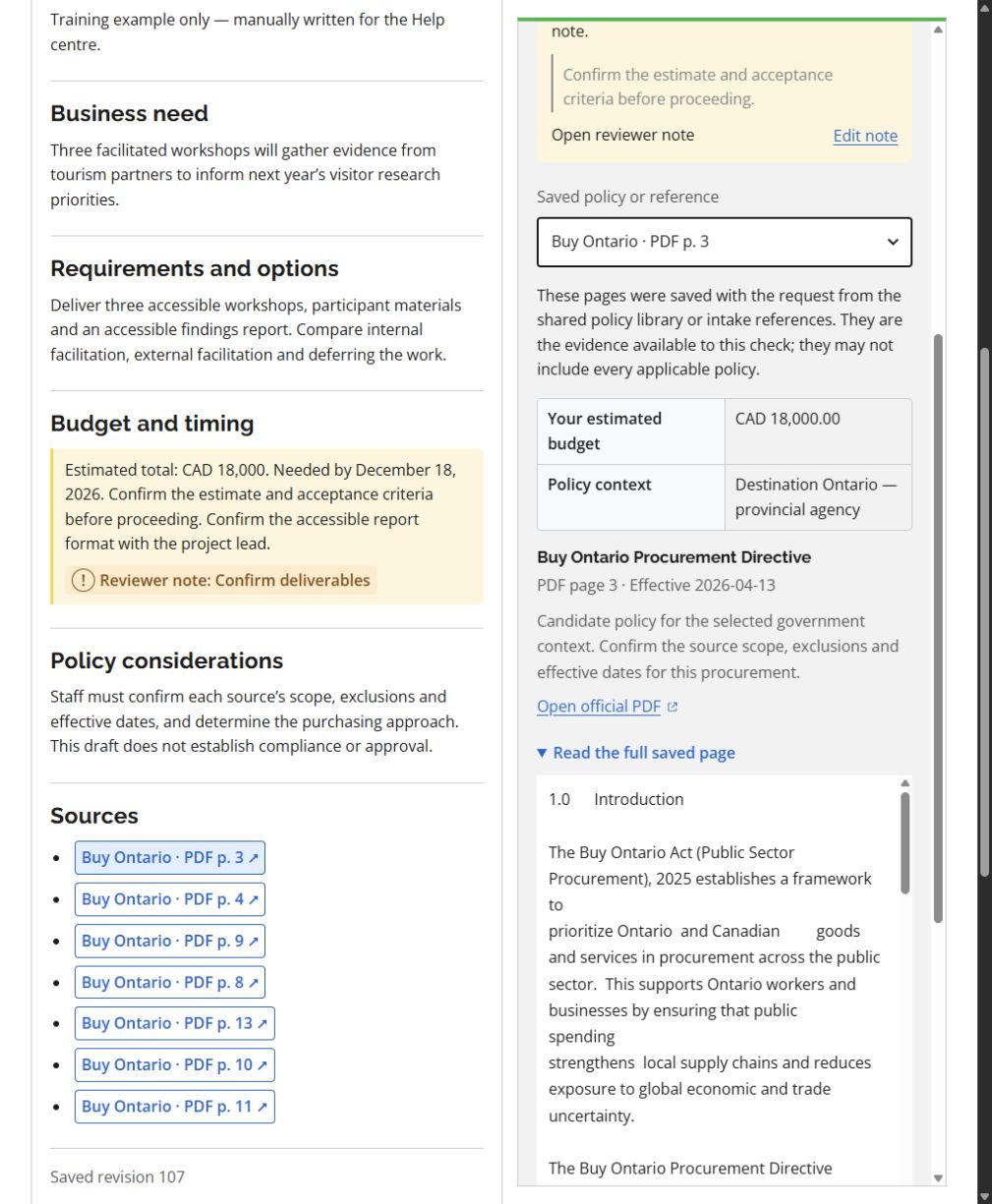
- Saved policy or reference switches between the sources retained with this request.
- Check the PDF page, effective date and applicability statement.
- Open official PDF lets you inspect the public source. Read the full saved page shows the text actually retained with the request.
This screenshot was captured using reviewer access. The default example follows your access for shared tasks; guides for another role show that role’s example. Choosing another example changes only the illustration. Requesters work on their own requests; reviewers can work on all requests but need requester access to create one. Controls also depend on the request’s status. On smaller screens, controls may move below the draft or into the Menu.
What success looks like
You can identify the source and version behind a draft claim and explain any applicability questions or missing evidence.
Common questions
The library shows a newer version than my request.
That is expected: the request retains its saved snapshot. Raise the difference with the reviewer and document how it affects the business case.
A relevant policy is missing.
Ask a document administrator to review it for the shared library, or use an approved extra excerpt during intake when appropriate. A policy check cannot assess pages it was not given.